Showing posts with label X window managers. Show all posts

Friday, April 30, 2010

My quest for a window manager (part 2)

In yesterday’s blog entry, I described some of the Window managers I was not happy with. Thankfully, I found a modern window manager that works for me.

The window manager I settled on was a recent release of XFCE, XFCE 4.4 to be exact.

XFCE 4.4 may not be the latest and greatest release of XFCE, but it is the release I can install with a simple “yum --enablerepo=extras groupinstall XFCE” in CentOS 5. Right now this looks to be the best FVWM1 replacement candidate for me. While more heavy than I would like — it takes about 20 or 30 seconds for the desktop to come up once I start X, compared to FVWM which comes up in only a couple of seconds — it is really lightweight for a full-featured desktop environment. Unlike Afterstep or any of the tiling window managers, I don’t need to learn yet another (often times poorly documented) arcane text configuration file format to configure the window manager; everything can be configured from the GUI.

It didn’t take me too long for me to figure out how to use hotkeys to change the virtual desktop I am on. Unlike FVWM, I can not move an application from one desktop to another by dragging the window; however, I can move an application from desktop to desktop by clicking and dragging its miniature image in the pager. I also was able to configure all of the panel elements to be vertical elements on the side of the screen to allow there to be as much vertical space for the xterms as possible. One advantage of xfce4 over FVWM is that the xterm windows “snap” to the elements on the side, making horizontal alignment of the windows easier than it is in FVWM1; there may be an option to configure things so that the windows “click in place” next to each other, something I wish FVWM1 had.

XFCE 4.4 has an extensive number of themes for the window decorations, a great improvement over FVWM1 which only has two minor variants on a Motif theme (an appearance used by a windowing system for UNIX called Motif which existed in the early 1990s), both of which looked sexy in the mid-1990s, dated by the early 2000s, and downright ugly in 2010. Indeed, a lot of FVWM1 derivatives (Bowman, FVWM95, MLVWM, etc) are simply FVWM1 with different looking window decorations.

The theme I opted to used is called “smallscreen”, which allows me to have xterm windows one row taller than I could in FVWM1.

I’ve been using XFCE 4.4 (not the current 4.6) for about two months now and have been happy with it; while it is a bit disconcerting having my four virtual desktops in a single vertical bar instead of a 2x2 virtual desktop, it otherwise has everything I like about FVWM1, as well as being lightweight in a virtual machine on a Dell I bought in 2007.

Thursday, April 29, 2010

My quest for a window manager

A quick glance at my screenshots page shows that I have been using FVWM1 for a very long time now. FVWM1 is definitely showing its age; newer applications (such as VMware player) don’t work very well with FVWM1.

So, I spent some time trying to find something more recent that works for me. I have tried out a few different window managers:
  • Afterstep. While the most recent release was only a year ago, the program feels incomplete and abandoned. The documentation on the website is incomplete; the Afterstep Wiki has not been updated for over 90 days; and the website has dead links like as.themes.org. The project does not appear to have an active community. In addition, the program takes 20 to 30 seconds to start up, which seems excessive for what should be a simple window manager.
  • HaZe. This was abadoned in 2002, but I tried it anyway. It took me about 30 minutes to get it to compile; after getting it to compile, it ended with a segfault. This is obviously, at best, a half-finished window manager.
  • I didn’t try any of the tiling window mangers. I have been very productive for nearly two decades with virtual desktop window managers; a new paradigm of window management is not what I need.
  • XFCE 3.2. Ancient release of XFCE; took me about two hours to get this critter to compile and run in CentOS 5 (and, for anyone that’s interested, I have a RPM here). It starts up quickly but I couldn’t find a way to assign keyboard shortcuts to change the virtual desktop I am on.
In my next blog entry, I will describe the Window manager I have been using for about two months and that I’m happy with.

Tuesday, March 9, 2010

XFCE 3.2 for CentOS 5

I managed to update an ancient RPM of XFCE 3.2 to compile in CentOS 5. My updated source code RPM is available here:

http://samiam.org/software/xfce-3.2.3-3.src.rpm

Friday, February 26, 2010

A chronicle of my Linux desktop

I have a tradition, dating back to 1995, of taking a screenshot of my Linux desktop at least once a year; I didn’t make one in 1997, but did make two in 1996, 2002, and 2007.

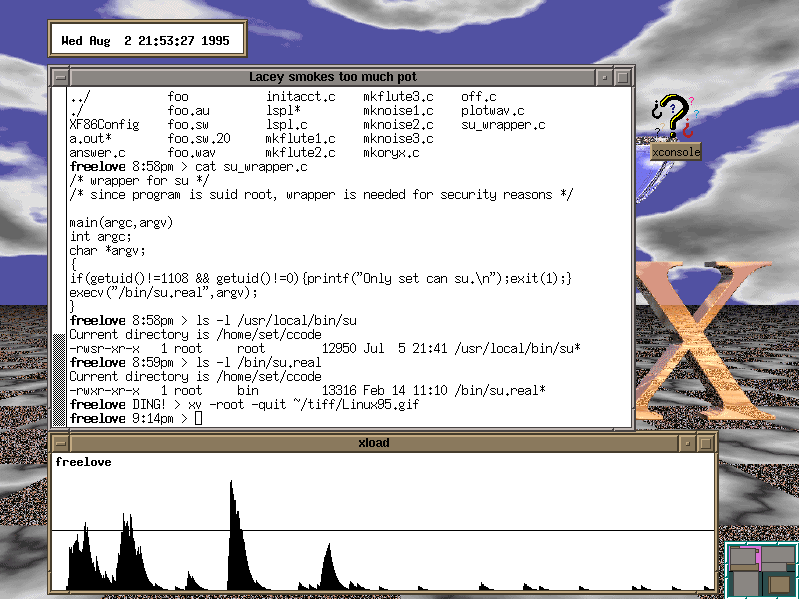
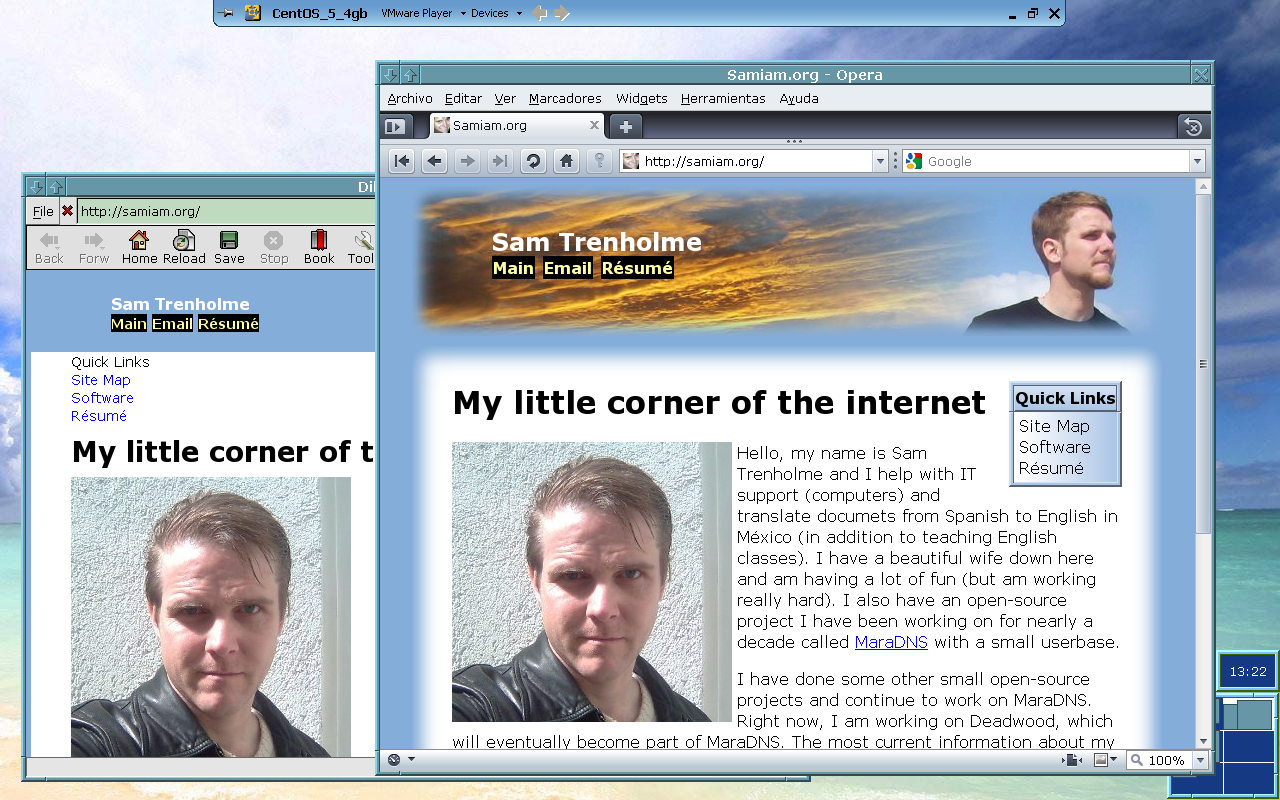
For the most part, I have been using FVWM1 for my Linux desktop; my 1995 screenshot shows FVWM1, as well as My most recent screenshot for 2010. Indeed, the only years where I’m not using FVWM1 for my desktop are 1996, 1999, 2001, 2002, 2003, and 2009 (but in 2009 FVWM1 is running on a virtual machine, and 2002 has two screenshots, one of which used FVWM1).

My web browser has also changed over the years; the 2000 screenshot shows me using Netscape 4; the 2002 screenshots show me using Mozilla and Konqueror; 2005-2009 screenshots show Firefox; and the 2010 screenshot uses Opera (note that I still use Firefox, but in Windows).

It’s an interesting look at my Linux desktop environment over the years. One thing is how font handling has improved over the years (note: The second 2007 and the 2008 screenshots show some experiments I did with font design); the wordprocessor in one of the 1996 screenshots as well as both 2002 screenshots show how ugly fonts used to look in Linux; for the 2010 screenshot I finally threw in the towel and use Verdana as my only proportional font, along with having full True Type delta hinting enabled. Another thing is how resolution has slowly been increasing over the years; my 1995-1998 screenshots show an 800x600 display with 256 colors; my 1999-2007 screenshots are 1024x768 with high (65536) color, and my most recent screenshots are 1280x800 with 24-bit true color.

Links to the screenshots along with, in some cases, descriptions and configuration files, are available here:

http://samiam.org/screenshots/